 rotordeck
Sticklink.
Your sticks, live in OBS.
Sticklink is a live stick overlay for FPV pilots. It reads your sticks, switches and link telemetry from an EdgeTX radio over USB and serves them as an OBS Browser Source, in real time and without a blackbox log. It records every session too, so you can check and reuse the data later.

What you get
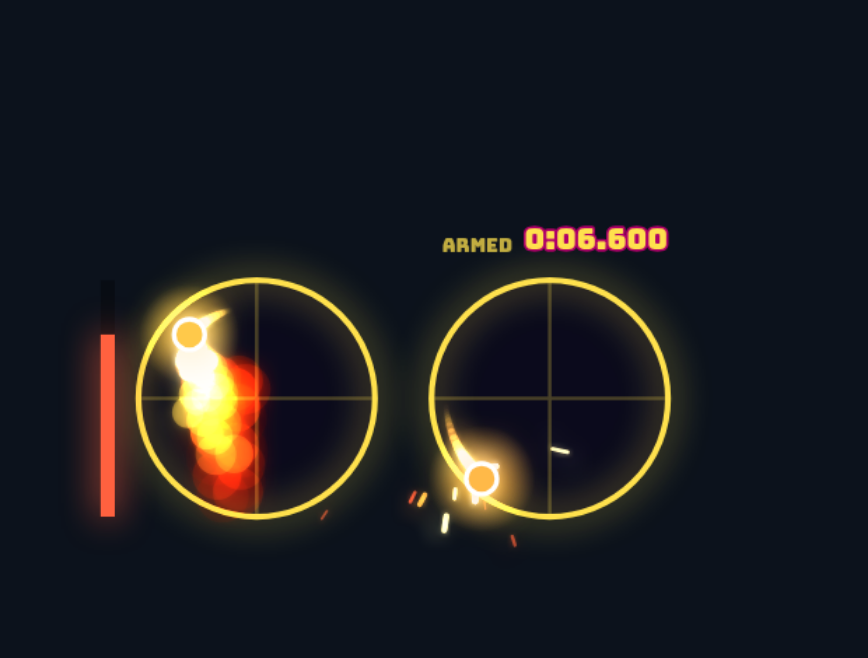
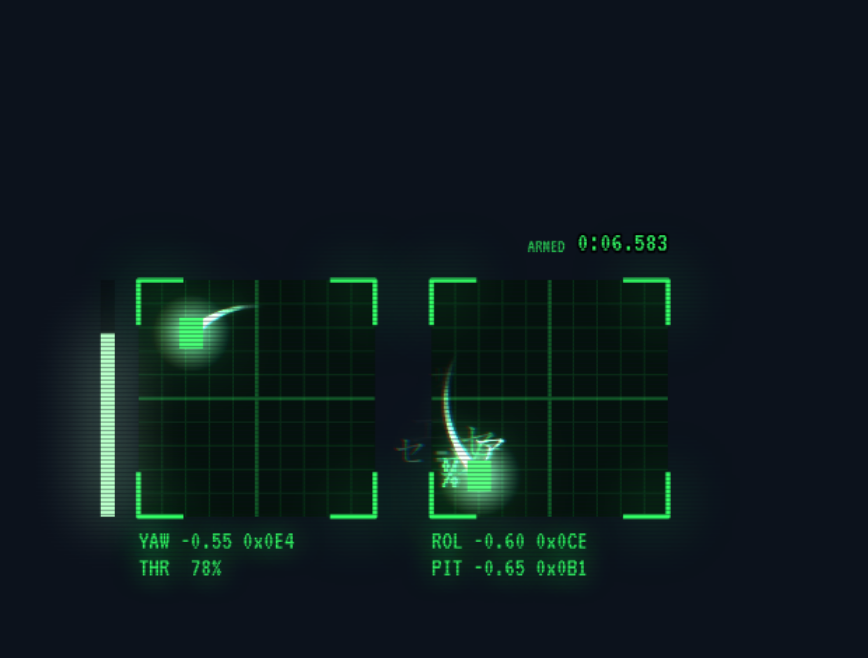
Effects overlay
Eight styles with glowing trails, sparks, shockwaves and live throttle timers. Smooth curves, no added delay.
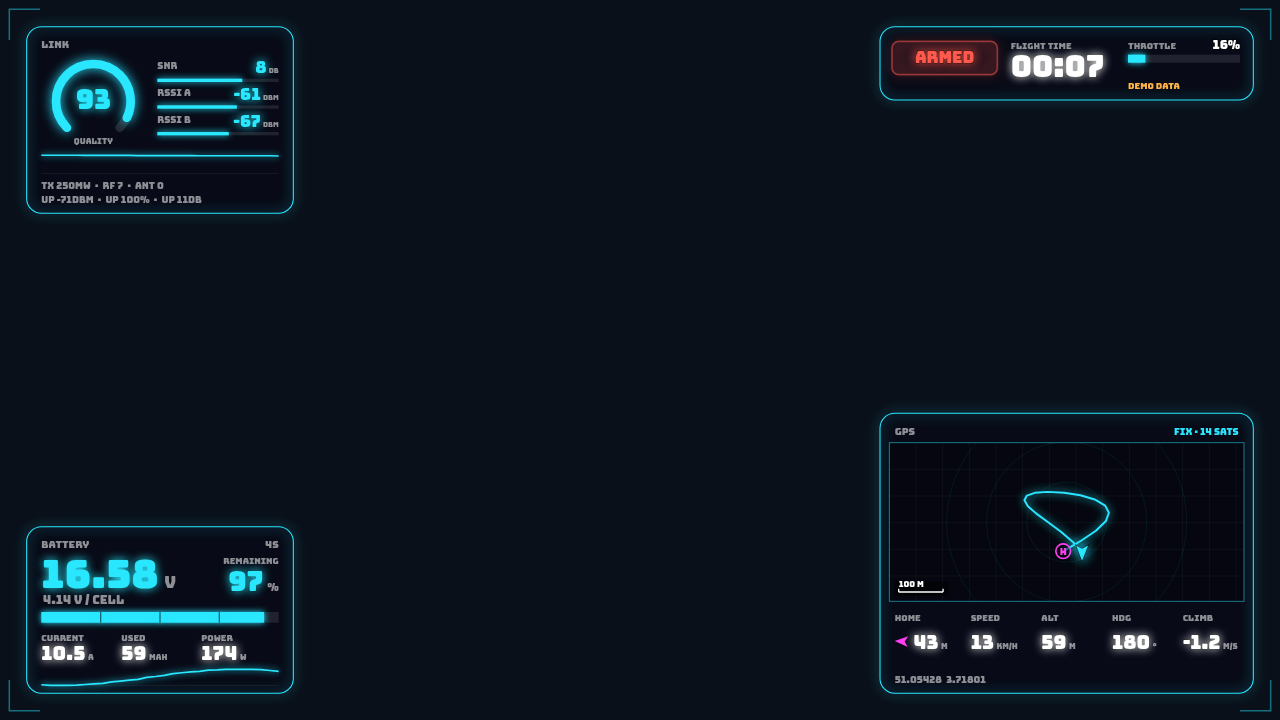
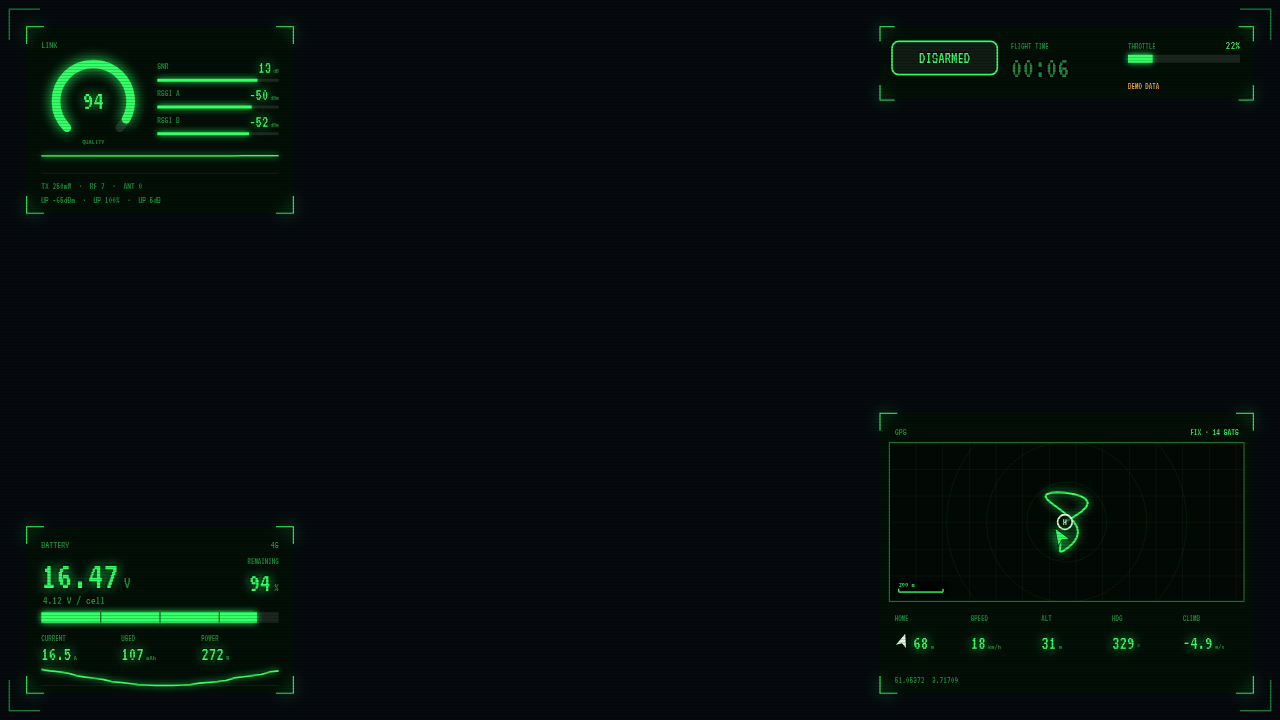
Telemetry HUD
Link, battery, GPS and status badges. GPS shows a live map with your track, home marker and distance. Every block can be its own OBS source.
Receiver setup
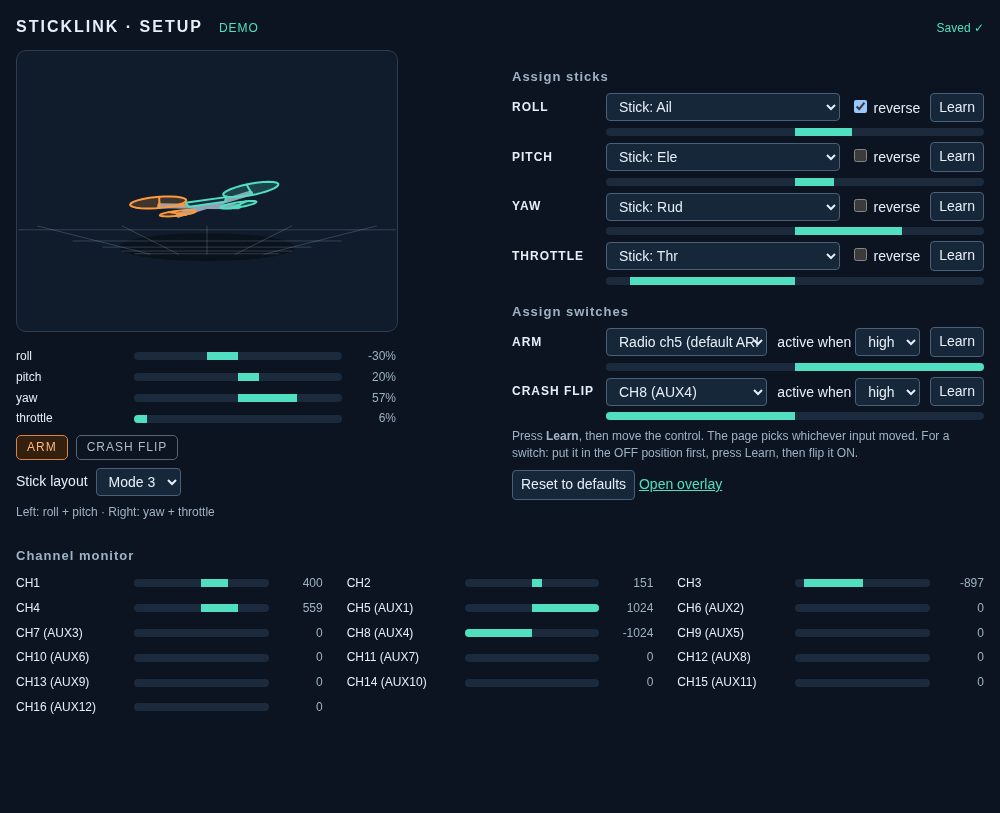
A live 3D quad, stick bars and a 16-channel monitor. Press Learn and move a stick to assign it: a swapped or reversed stick is a ten-second fix.
Scene switching
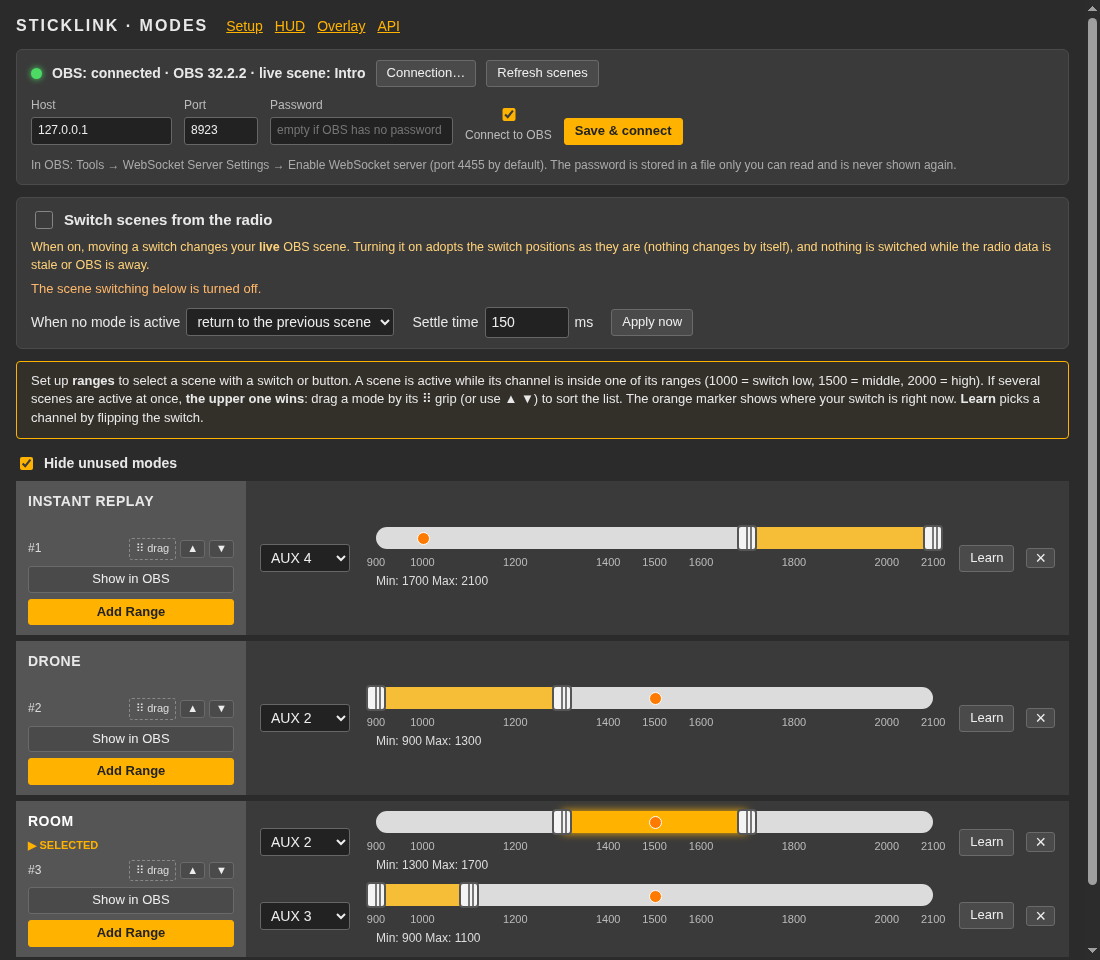
A Betaflight-style Modes page for your OBS scenes. Give each scene a range on a switch and OBS follows your radio.
Themes
Add your own looks with a small data-only .json file, or install one from a friend. Nothing runs.
Recordings & API
One file per session, a quality report and replay through the overlay. REST API with Swagger UI and a WebSocket stream for your own tools.
Quick start
- Download the build for your system from the releases page and unpack it. It is a single program that carries everything it needs.
- Try it without a radio: run
./sticklink run --demoand openhttp://127.0.0.1:47613/fx. Two gimbals should move by themselves. Prefer a window? Start the program with no arguments. - Connect your radio: install the small EdgeTX script, set USB-VCP to LUA (radio setup), then run
./sticklink run --port /dev/ttyACM0(--port COM5on Windows). - Assign your sticks at
/setup: press Learn, move the control. - Add it to OBS as a Browser Source with the URL
http://127.0.0.1:47613/fx, size 576×450, 60 fps (OBS setup).
Honest limits
- Verified on real hardware with a RadioMaster Pocket (EdgeTX 2.10, ExpressLRS) on Linux with OBS 32. The radio reports sticks at about 20 Hz; the overlay smooths between readings.
- The Windows and macOS builds are tested by CI, but not yet tried with a radio.
- The HUD shows only telemetry your radio really receives. Betaflight does not send motor outputs, RPM, PID or gyro over the link, so there is no live motor screen.
- Sticklink only reads from the radio. It never writes to it or changes ExpressLRS or model settings.
- The GitHub downloads are unsigned, so macOS Gatekeeper and Windows SmartScreen warn once. The Microsoft Store version is signed by Microsoft and updates itself (announcement).
Community & licence
Questions or ideas? Join the Discord or open an issue on GitHub. Sticklink is free software under the GNU AGPL v3 or later. It runs entirely on your computer and sends nothing to Rotordeck; see the Sticklink privacy policy.
Looking for something to fly with? Join the Rotordeck beta.