 rotordeck
bf: Betaflight from the command line
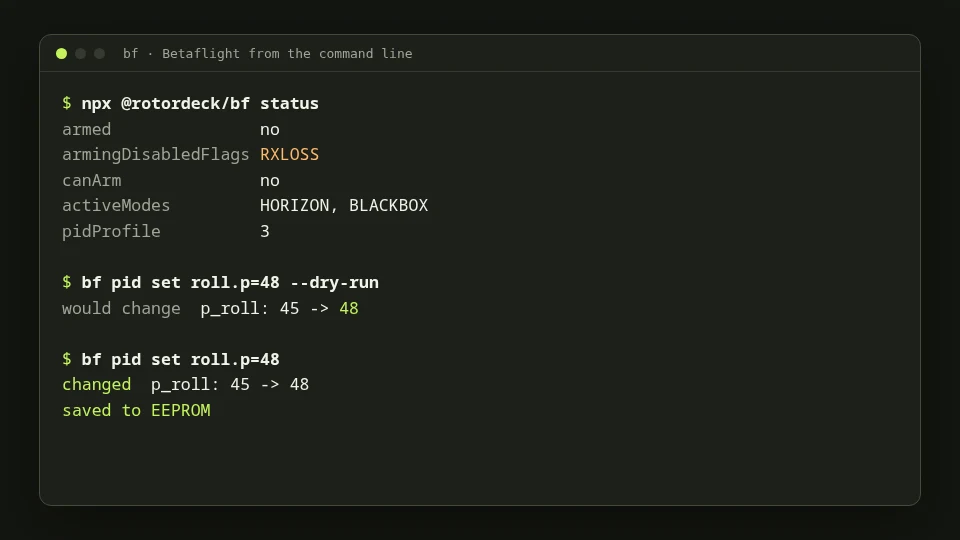
bf is a free tool that configures Betaflight flight controllers from a terminal, and it's now in the Toy Box. It speaks plain text to you and stable JSON to scripts and AI agents.
Why a command line for Betaflight?
The Configurator is great when you sit with one quad and click through tabs. A command line is better when you want to repeat a setup, keep it in a file, script a check before every session, or let an AI assistant do the clicking for you. bf covers what the Configurator does: ports, receiver, modes, motors, PID, rates and filters, failsafe, OSD, VTX, LEDs, blackbox, presets, backups and firmware.
Safe by default
- Preview first: every change can run with
--dry-run. - Checked and verified: values are checked against what the firmware allows, written, read back and saved.
- No surprises: nothing is written while the quad is armed, destructive actions need
--confirm, and motor tests need--confirm-props-removed.
Help from an AI agent
bf answers in stable JSON with clear exit codes, so an agent can use it reliably. Two skills teach Claude Code how to run it and how Betaflight setups work: it backs up first, previews changes and asks before anything risky. In Claude Code, run /plugin marketplace add rotordeck/skills, then /plugin install betaflight@rotordeck-skills, and ask "why won't my quad arm?"
Try it
With Node.js 22 or newer, plug in your flight controller and run npx @rotordeck/bf status. Back up before you change anything: npx @rotordeck/bf config backup -o my-quad.txt.
bf is version 0.1. It's tested on the Betaflight simulator and one real flight controller; firmware flashing isn't tried on real hardware yet, so use a spare board for that. Found a problem or want a feature? Tell us on Discord or in a GitHub issue.